Shortcut Key for Table Details in Sql Server Management Studio
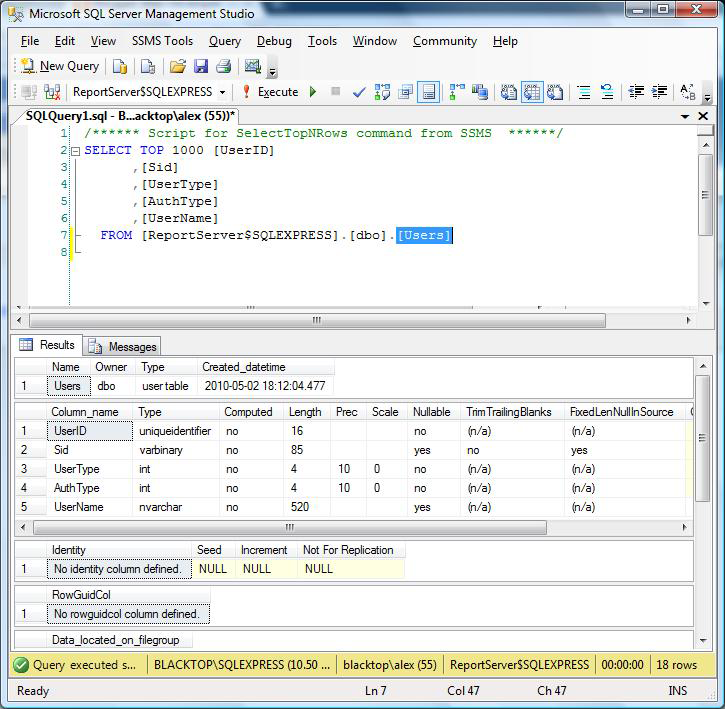
If you select a table name in the query window of Sql Server Management Studio
and press ALT + F1 it will display the details of that table.
In the background shortcut key will execute sp_help on your behalf, so in this example it executes: sp_help users, which is much quicker than typing it.
I'm running Sql Server Management Studio 2008 R2 (but i'm pretty sure it'll work with earlier versions)

請先 登入 以發表留言。